EVE August
How to guide - Practice

Step 1: Start to make your poster.
Open up Layer AR and log in, as you can see I have already logged in to my account that I just made.
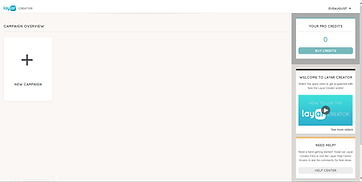
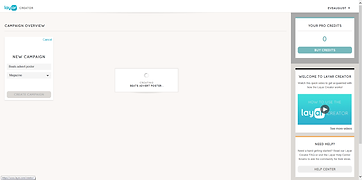





Step 2: Make a new campaign by titling it and making it categorize as a poster/magazine.
Step 3: When adding a new page make it as a PNG or JPG
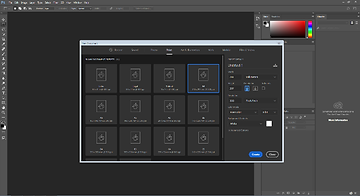
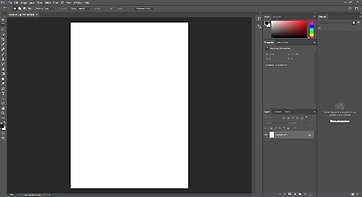
Step 4: Open up Adobe Photoshop and make a new project
I'm a Step 5: Make sure the page is A4
Step 6: you can either have your poster in portrait mode or landscape by changing to either one you go to image on the top left of the scroll down to image rotation and choose which way you want your page to rotate too.
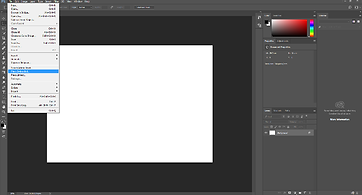
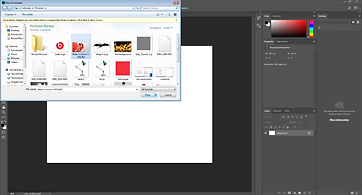
Step 7: Now time to add your background poster picture. File then scroll down till you find Place Embedded click it and a little screen will pop up so then you can find your picture saved on your computer.
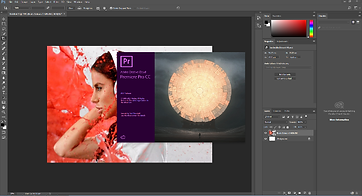
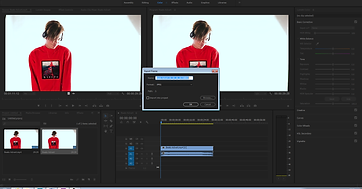
Step 8: Open up Premiere Pro CC software.
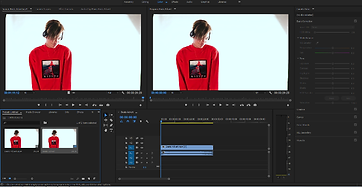
Step 9: When you have imported your advert and dragged onto the timeline below the right picture of your advert there's a little camera icon which you press and then pops up a menu for you to save it somewhere on your computer that you will remember for the next step.
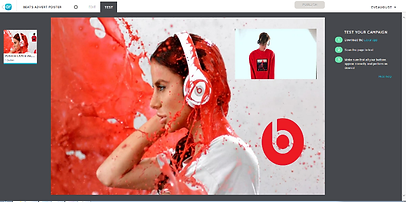
Step 10: Open up your poster on the LayAR website and start to add your advert video onto the poster by clicking on the black box with a play button in the middle of it, then search for where you saved your video to on your computer.
Step 11: Position the video where ever you wish on to the poster, then add anything else to your poster like I added another logo to beats.
Step 12: When you're done positioning your video then you can test your AV poster and BOOM you are Finished!